Mobile Deposit

Can’t get to a branch?

Deposit checks on the go using your smartphone and the Parda Mobile Banking app!



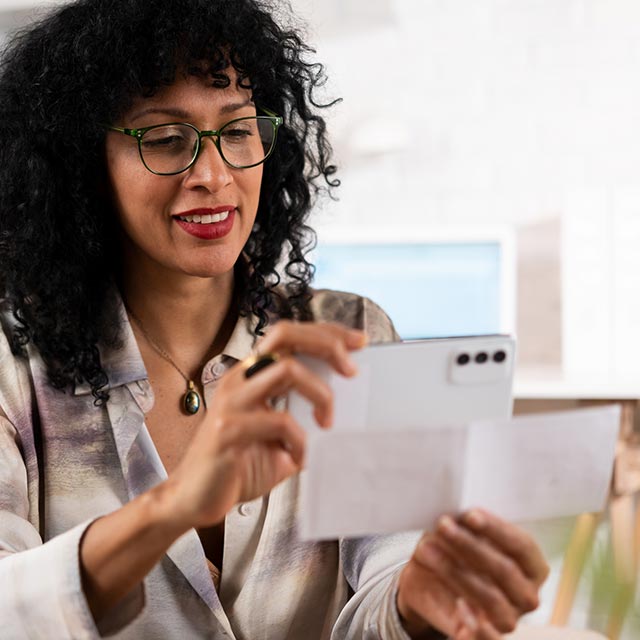
Woman taking a photo of a check

How to make a mobile deposit:

  1. Log in and select Deposit Check
  2. Enter the Amount of check and select the Parda Account you want the deposit to go into
  3. Endorse the check with your signature and “Mobile Deposit Only — PARDA FCU”
  4. Using your camera, take a picture of both the front and back sides of the check and submit the deposit
 That’s all there is to it!


About Mobile Deposit Endorsements

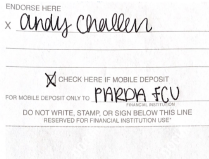
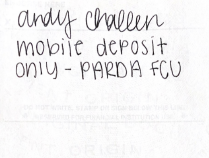
When depositing a check through Parda’s Mobile Deposit service, please be sure to use this required two-part endorsement:
  1. Your signature
  2. “Mobile Deposit Only — PARDA FCU” printed underneath your signature
Please do not add dates, account numbers, or any additional details so the endorsement can be clearly read by the system. It is also important to only write in the endorsement section on the back of the check.
 
If you deposit a check without this mandatory endorsement, the check will be rejected.
 
Did you know? You can now add tags, notes, or images to any transaction in your account just by selecting the transaction in Online/Mobile Banking.
EXAMPLES: 
Mobile Deposit example Mobile Deposit example

Mobile Deposit Endorsement FAQs

The longer endorsement is necessary to protect your deposits, so items are not accidentally presented a second time at another financial institution when they have already been deposited via Mobile Deposit.
If you have any questions, please contact our Member Solution Center at 1.800.860.5640 or via chat at our website or within Online or Mobile Banking.
This requirement is the direct result of a Federal Reserve Board ruling and applies to mobile deposit services at all financial institutions, not just Parda.
No, this endorsement only applies to mobile deposits and is not required when you visit a Parda branch or ATM to deposit a check(s).
We know the endorsement is longer, and we apologize for any inconvenience this may cause you.
You can download it right here:

App store badge      Google Play store badge
 
App Store is a service mark of Apple Inc. Google Play is a trademark of Google Inc.
Get the PARDA App on the App StoreGet the PARDA app on Google Play

There is no charge to download the Parda FCU Mobile Banking app. However, data and connectivity fees from your mobile provider may apply. Please contact your mobile service provider for more information. Some features may be available to Parda members only.


woman with coffee and laptop


Get in on the perfect, most flexible loan!

Prepare for emergencies with immediate access to available funds for urgent pet care, unexpected home repairs, and everything in between!

Freedom Line of Credit